
Back to Portfolio

Prev Project
Next Project

App Design
A really compelling headline
The Challenge
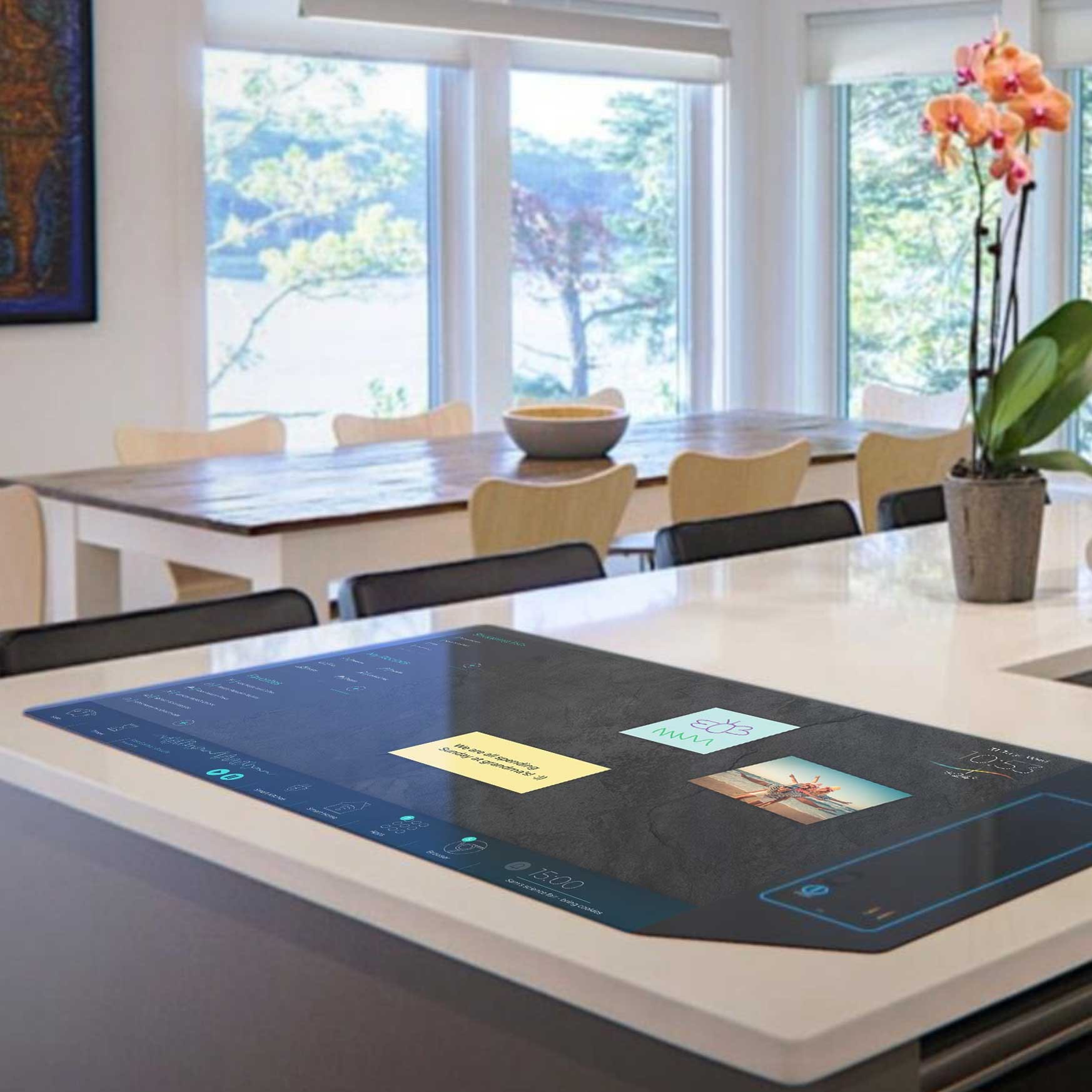
The first Kisense device was just a regular touch screen tablet with an android operating system, only it was huge. We were hired to figure out what could make this product successful.
The Solution
Multi-touch - allowing for several simultanious users, All directions - turn an app window to face you at any side of the device & Multi-user - a shared device allows to easily switch between accounts and preferences so that whoever is cooking can set the tone.
Diverse Personas
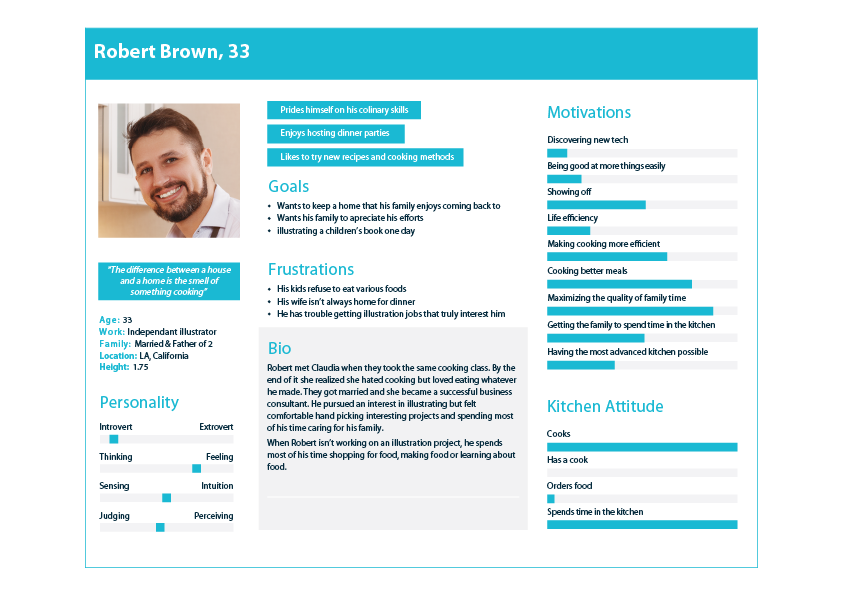
I created 6 personas of varying ages, genders and attitudes towards technology and cooking. my emediate . Thinking about teenagers and children was a huge influence on the design process.
Intuitive Flows
I focused on anticipating the user's physical state and environment to reduce friction.
The flows were built for a shared environment. A user can "drag" a browser window and "turn it" to face them, staying out of another person's way. Family members can leave a note by dragging a calendar event directly onto a note sticky , a fluid interaction perfect for a central hub.
Cooking flows, like baking rolls, were designed to orchestrate multiple functions. The flow seamlessly integrates the recipe app, the digital scale, multiple overlapping timers, and smart home controls to preheat the oven - unifying a complex, multi-step process into one manageable workflow.
Diverse Personas
I created 6 personas of varying ages, genders and attitudes towards technology and cooking. my emediate . Thinking about teenagers and children was a huge influence on the design process.
Quick Actions
While the client agreed the different app windows needed to rotate in any direction neccesary,

Showcase

Basic View
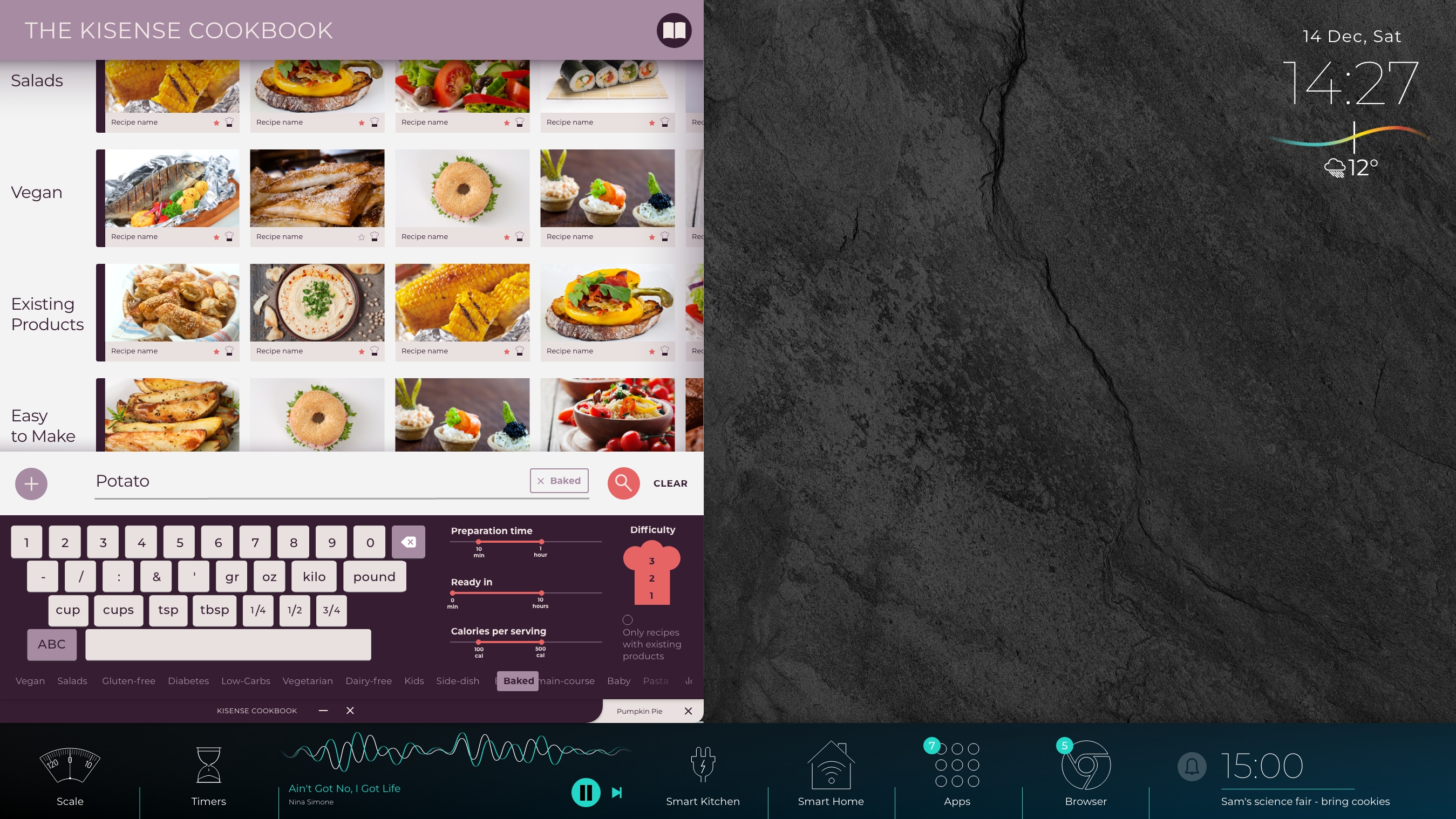
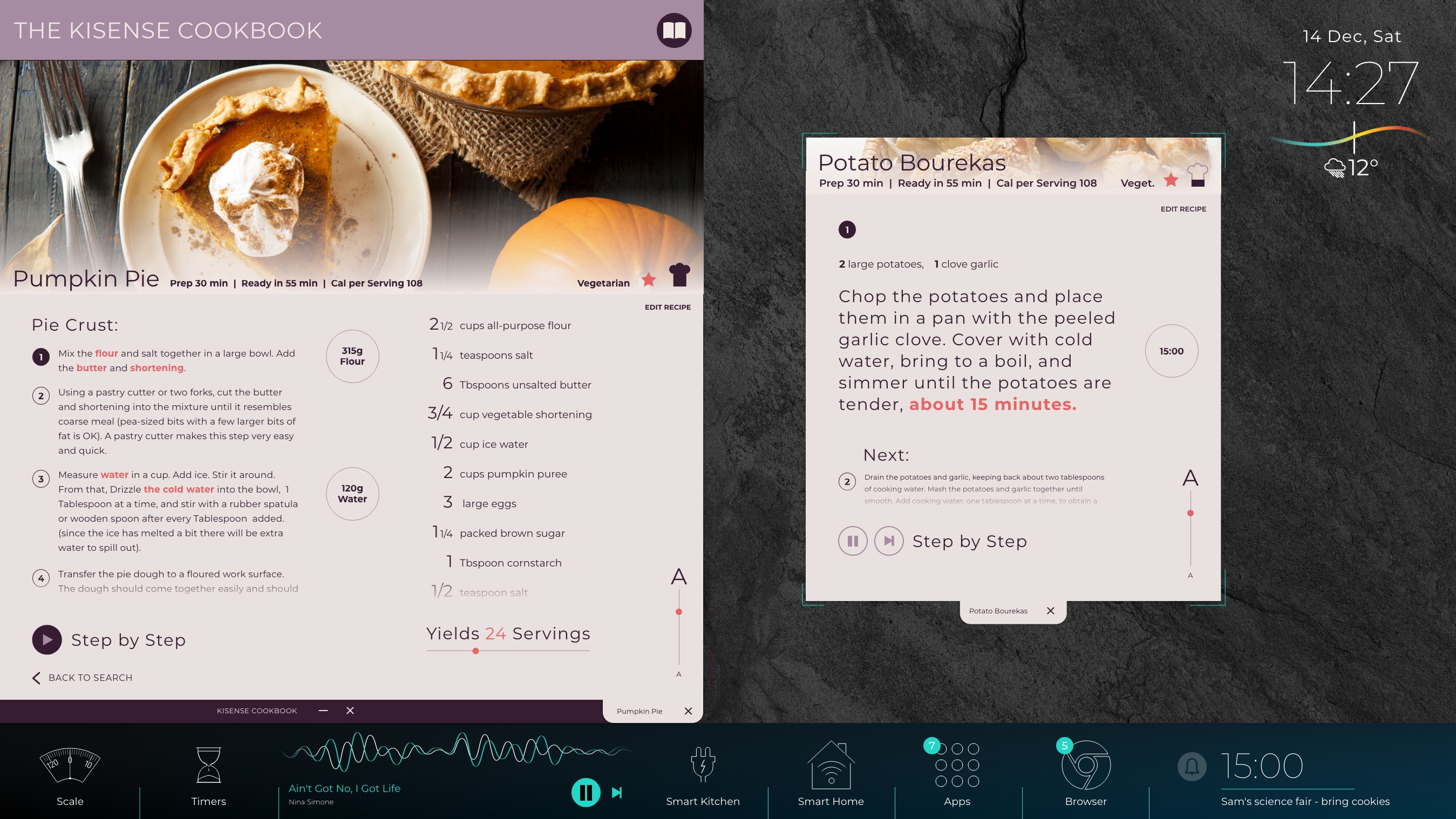
CookBook App View- Recipe
Back to Portfolio
Prev Project
Next Project
App Design
A really compelling headline
The Challenge
The first Kisense device was just a regular touch screen tablet with an android operating system, only it was huge. We were hired to figure out what could make this product successful.
The Solution
Multi-touch - allowing for several simultanious users, All directions - turn an app window to face you at any side of the device & Multi-user - a shared device allows to easily switch between accounts and preferences so that whoever is cooking can set the tone.
Diverse Personas
I created 6 personas of varying ages, genders and attitudes towards technology and cooking. my emediate . Thinking about teenagers and children was a huge influence on the design process.
Intuitive Flows
Diverse Personas
I created 6 personas of varying ages, genders and attitudes towards technology and cooking. my emediate . Thinking about teenagers and children was a huge influence on the design process.
Quick Actions
While the client agreed the different app windows needed to rotate in any direction neccesary,
Showcase
Basic View
CookBook App View- General
CookBook App View- Recipe
Back to Portfolio
Prev Project
Next Project
App Design
Everyone into the kitchen
The Challenge
The first Kisense device was just a regular touch screen tablet with an android operating system, only it was huge. We were hired to figure out what could make this product successful.
The Solution
Multi-touch- allowing for several simultaneous interactions
All directions- Device is functional from any direction
Multi-user- Easily switch between accounts and preferences
Diverse Personas
I created 6 personas of varying ages, genders and attitudes towards technology and cooking. 3 were types of people who would potentially invest in this device. A person who was mostly into fun tech, another who spent all his time in the kitchen, and a third who’s partner bought the device and now I wanted her to be pleasantly surprised. The other three were children of different ages. The teenager who would have her friends over and have a party on top of it, the boy who was curious and wanted to press all the buttons and the baby who might be seated on the counter and drawn to bright lights. We wanted to allow maximum freedom to responsible users while keeping in mind the things that could go wrong.
Intuitive Flows
I focused on anticipating the user's physical state and environment to reduce friction.
The flows were built for a shared environment. A user can "drag" a browser window and "turn it" to face them, staying out of another person's way. Family members can leave a note by dragging a calendar event directly onto a note sticky , a fluid interaction perfect for a central hub.
Cooking flows, like baking rolls, were designed to orchestrate multiple functions. The flow seamlessly integrates the recipe app, the digital scale, multiple overlapping timers, and smart home controls to preheat the oven - unifying a complex, multi-step process into one manageable workflow.
XXL Design
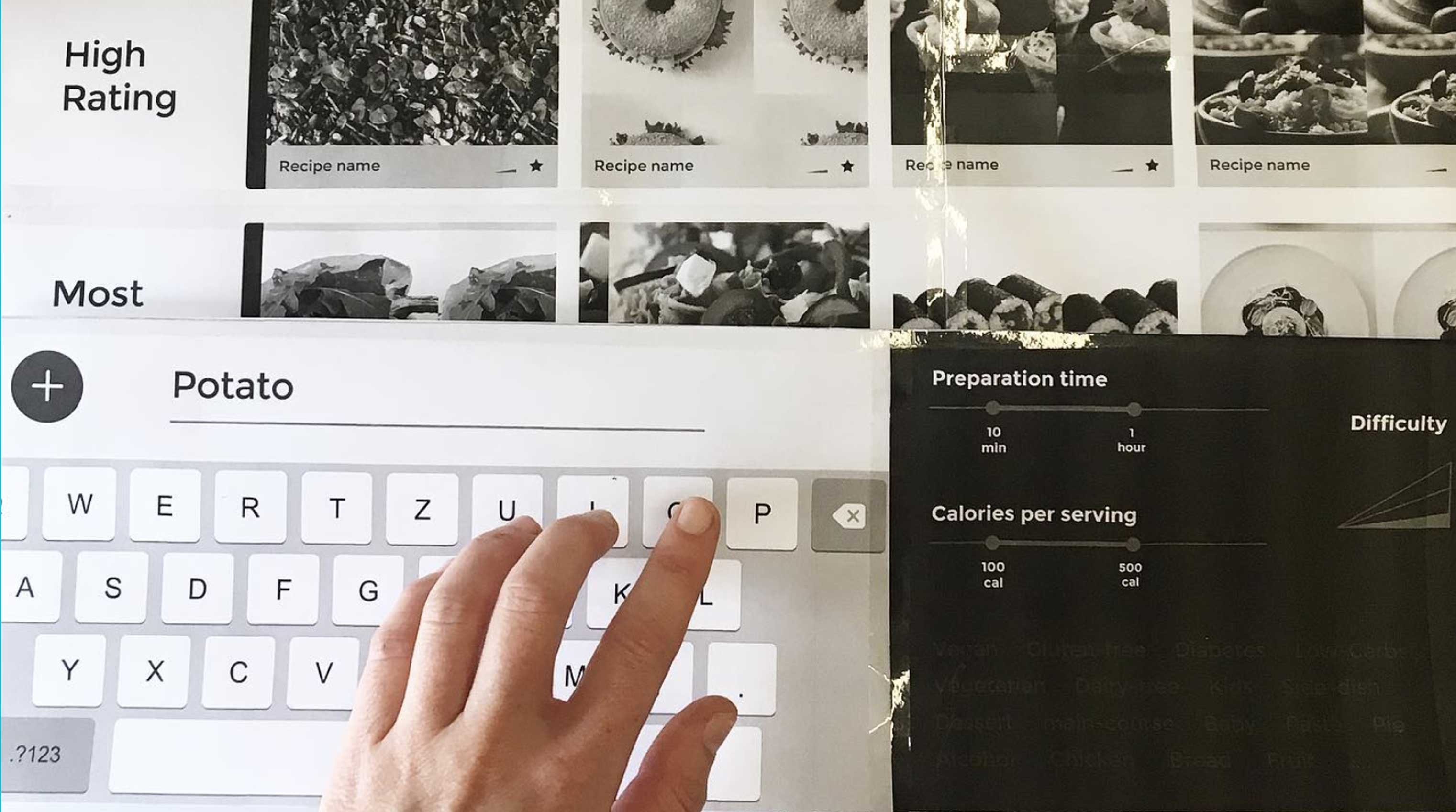
Throughout the design process I would periodically print out everything in real size and arranged the prints to simulate the real size of the Kisense, which was about 3 times as big as my computer screen, so I had no other way of looking at the full design in real size This was a key practice in making sure sizes made sense and that everything was within reach.
Quick Actions
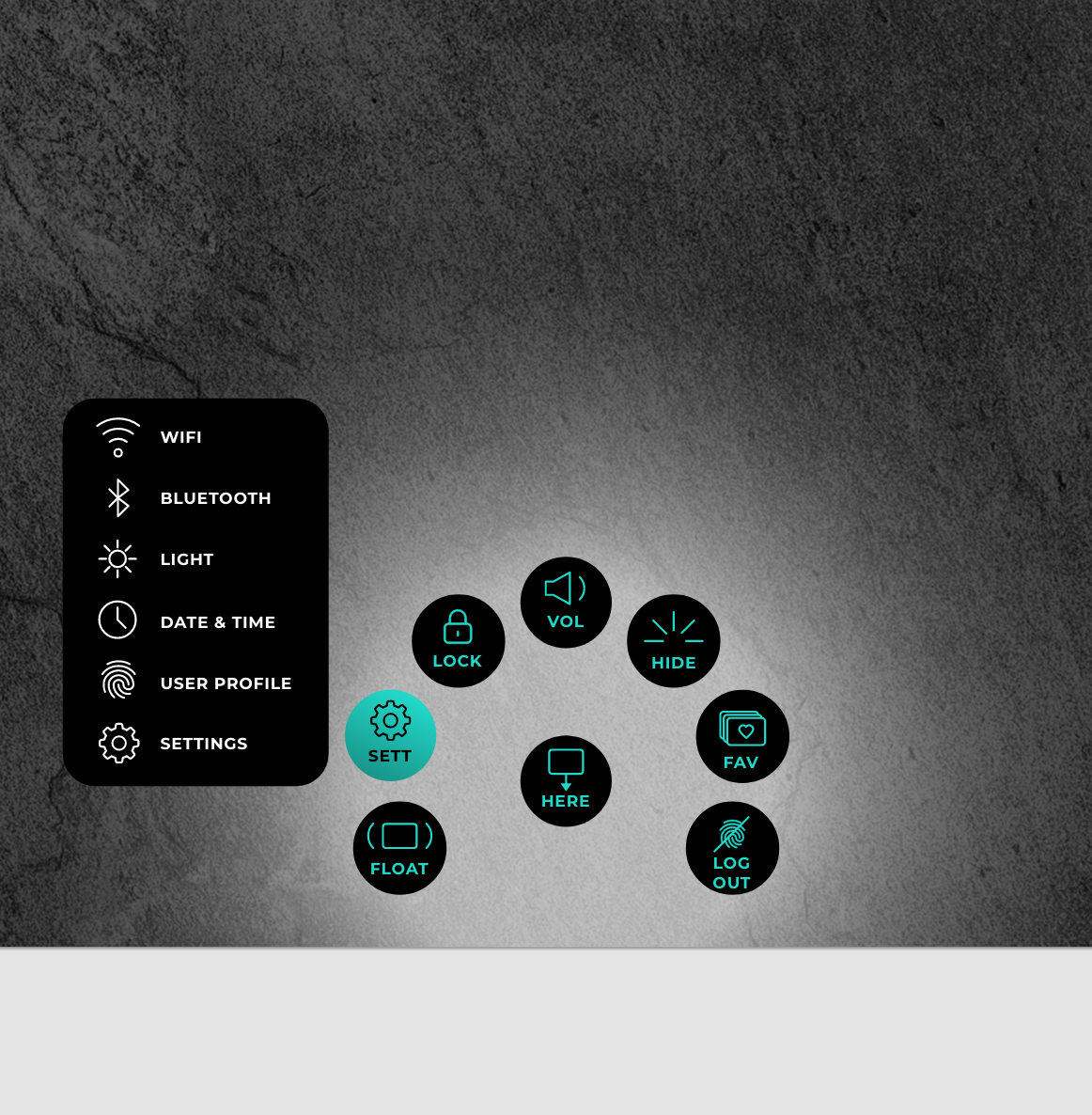
To make sure users could approach the device from any direction we came we came up with the quick action menu that would open by swiping the edge of the screen and allow for basic interactions to be performed or if needed- for the entire operating system UI to rotate and face the user.
Showcase
Basic View
CookBook App View- General
CookBook App View- Recipe